Keep riding.Beyond the
signal.
A quiet, capable Android app for planning, recording, and understanding every ride.
 VeloForthGet the app
A quiet, capable Android app for planning, recording, and understanding every ride.
Search, tap the map, add ordered stops, and choose Fastest or one of eight rider-first route styles before you set off.
Download maps and onboard routing separately, then keep a valid road route when the connection disappears.
No VeloForth account. No developer cloud ride library. Your routes, bikes, check-ins, and coaching live in private app storage.
One continuous rhythm across Ride, Garage, Statistics, and Subscription.
The complete product story followsEvery part of VeloForth serves the same ride: choose the road, prepare the bike, record what happened, and add the context GPS cannot know.
Search, tap the map, or add ordered stops. Move and remove waypoints, undo changes, choose a rider-first route style, then ride now or save a dated copy for later.

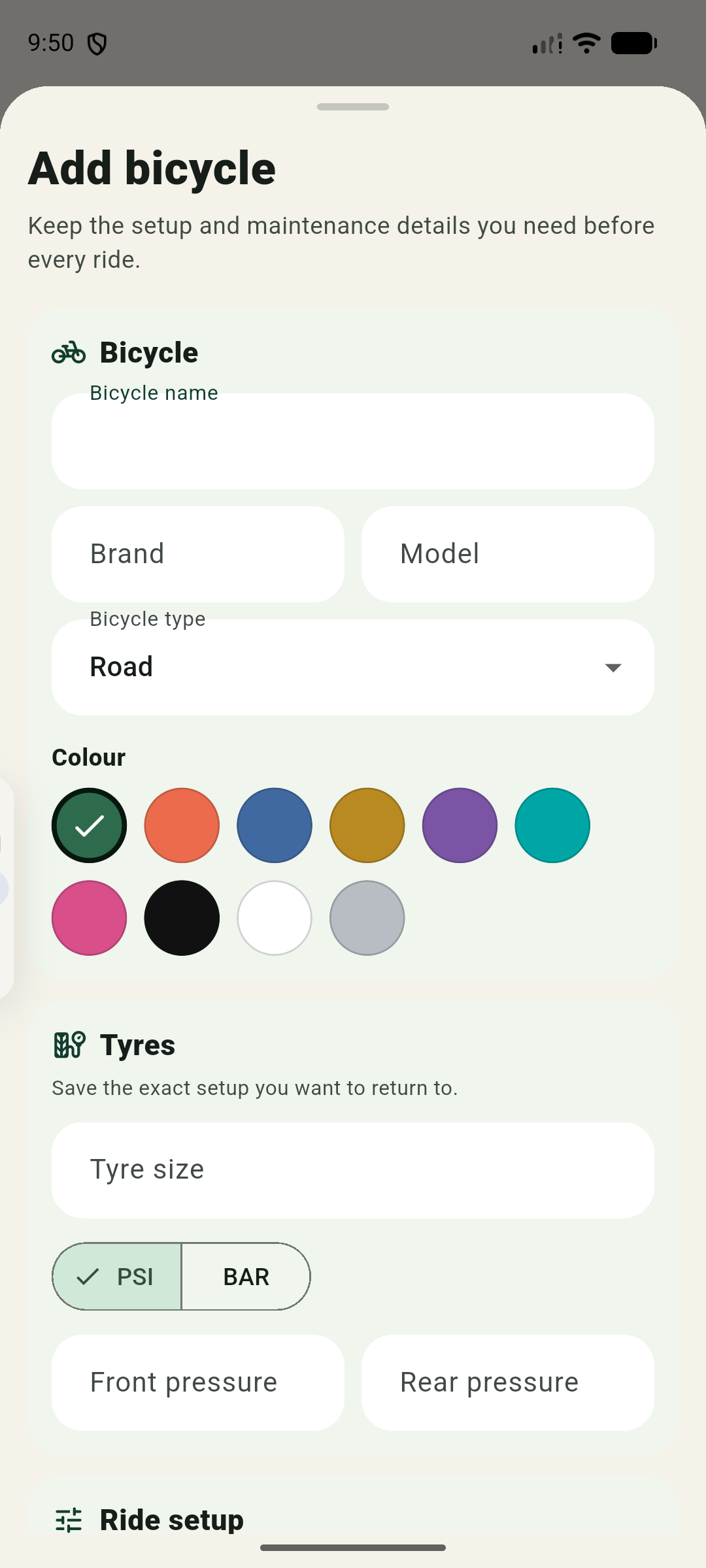
Store each bicycle’s setup, mileage, notes, and service targets. Track individual components by distance, ride time, or completed rides.
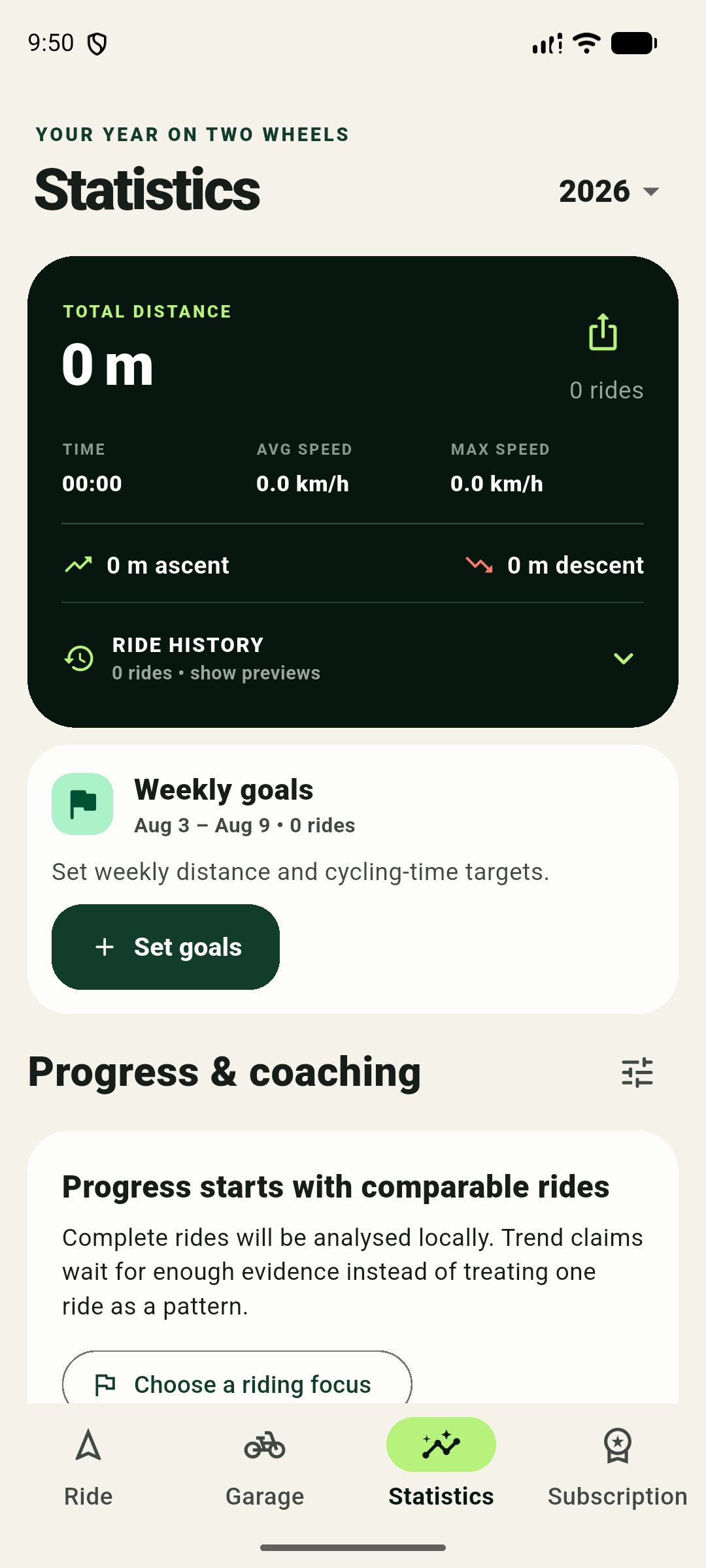
Review annual totals, weekly goals, ride history, maps, records, rolling trends, and evidence-led coaching calculated from rides kept on your device.
Complete three lifetime rides free, then choose monthly or annual Premium for ongoing recording. Ride Horizon is a separate, permanent one-time add-on for Premium members.
Choose where and when you need to be back, then set the margins that matter. Ride Horizon uses current conditions and local ride history to generate routing-validated loops around your battery, daylight, familiarity, bicycle, and offline-coverage preferences.
Planning boundary Ride Horizon is a planning estimate, not a safety guarantee or a routed isochrone.
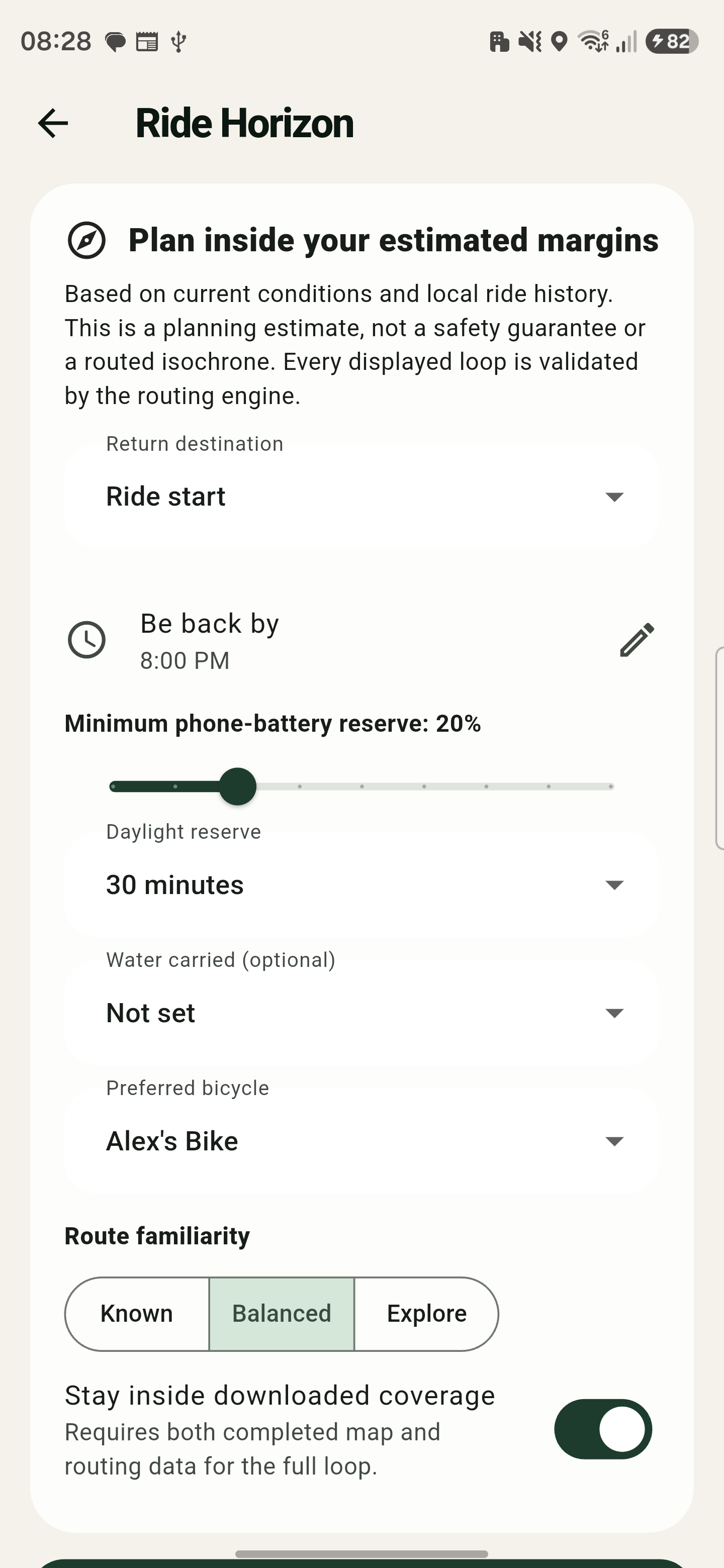
Choose a return destination and the time you need to be back.
Set phone-battery and daylight reserves, with optional water carried and a preferred bicycle.
Choose Known, Balanced, or Explore to shape how familiar the loop should feel.
Optionally keep the full loop inside completed map and routing coverage.
Every displayed loop is checked by the routing engine before you choose it.
VeloForth carries your intention through the whole ride instead of guessing purpose from speed or treating private coaching as a cloud service.
Build a route with ordered stops, pick a style, import GPX, choose a saved route, or use the Ride Horizon add-on to fit a routing-validated loop to the time available.
Review weather, daylight, battery, offline coverage, water guidance, and bicycle readiness. Set an intention, target, effort, and optional feeling.
Keep recording with the screen locked, use portrait or landscape, follow the route, recenter, rejoin an imported GPX, or request a real route back to the start.
Record perceived effort, how the ride compared with the plan, how you finished, and optional context before personal coaching is generated locally.
Five focused tools included in the current Android app, working from your own routes, rides, places, and preferences. Ride Horizon is presented separately above.
Build a clearable, on-device memory of roads ridden. Add comfort or surface feedback and tell planning whether to favour familiar roads or explore.
Private by design; no cloud road profileKeep immutable future plans and reusable recorded tracks. Rename, load, reverse, prepare, start, cancel, reschedule, or delete from one route library.
Recorded tracks use honest breadcrumb guidanceImport a GPX route, export the route currently loaded, or export a completed ride. If you drift from imported GPX, VeloForth can route back to the nearest useful point.
Sharing always goes through Android’s share sheetSave favourite cafés, water taps, repair shops, scenic viewpoints, dangerous junctions, and meeting points. Personal places and recent destinations remain searchable offline.
Online place results still need a validated connectionOpt into planned-ride, long-ride fuel and hydration, insight, record, weekly, goal, recovery, and maintenance prompts. Each category remains under your control.
The active-ride notice is required for locked-screen recordingEvery style works from real cycling-route candidates and bounded detours. Where the data cannot support a promise, VeloForth says so.
 Direct baseline
Selects the quickest available cycling route and keeps the detour at zero.
VeloForth treats map tiles and onboard routing tiles as separate resources, because seeing the map and calculating a road route are not the same thing.
Download around the current route with a 2–15 km corridor, or select a nearby area with a 1–25 km radius.
Map and routing resources report progress separately. A region is ready only when the resources you need complete.
Display downloaded maps and calculate onboard bicycle routes when both endpoints sit inside completed routing coverage.
Missing data never becomes a straight-line road route. VeloForth keeps the last valid route and explains what is unavailable.
Choose the bicycle you are riding, keep the setup you want to return to, and let completed rides advance the counters that matter.
Chain inspection · 74% of interval
Name, colour, tyre size and pressure in PSI or bar, front and rear suspension, chain wax or lube, mileage, and notes.
Set a due date, an odometer target, or both, and keep one bicycle active for the next ride.
Track named components by distance, ride time, or ride count, with notes and installed counters.
Mark a component inspected, serviced, or replaced to reset its counter without rewriting the bicycle’s ride history.
GPS records what happened. Your check-in explains how it felt. VeloForth keeps both together and waits for evidence before calling a pattern a trend.
Distance, ride time, average and maximum speed, elevation, ascent, descent, route map, and linked bicycle.
Required RPE, plan comparison, finish quality, optional context tags and notes, plus editable pre-ride intent.
Manually enter heart rate, cadence, power, zone time, work, or training-stress summaries from another device.
Evidence, confidence, ride classification, cautious insights, coaching actions, rolling progress, and personal records.
Set weekly distance and cycling-time goals, browse yearly totals, and compare 7-, 28-, and Premium 84-day progress.
Create ride, weekly-goal, or annual-progress image cards; export GPX; or save a completed track to ride again.
Core ride facts, immediate ride insights, up to 28 days of rolling progress, and three personal records remain visible. Premium adds the complete record history and 84-day trend.
These boundaries replace older or broader-sounding claims. They are the practical edges of the current app.
The current app has no VeloForth login, developer app backend, cloud ride library, advertising profile, or developer-operated analytics service.
Saved places and recent destinations work offline. New Mapbox place results do not: licensed offline POI search is not present.
Gravel, road, hilly, flat, quiet, and low-traffic choices rank available cycling alternatives; they do not guarantee surface, elevation, or live traffic conditions.
External heart-rate, cadence, power, zone, work, and stress figures are optional summaries you type in—not a paired sensor stream or fabricated time series.
A saved ride can be followed in either direction as a breadcrumb track. It is not silently rerouted or presented as revalidated turn-by-turn navigation.
Mapbox provides online maps, search, routing, downloads, and optional share-card backdrops; Open-Meteo provides ride-preparation weather; Google Play handles billing.
No. Ride Horizon is a separate, permanent one-time add-on for Premium members. Google Play shows the current local price, and the add-on remains owned permanently after purchase.
Your saved history, bicycles, routes, places, offline regions, settings, and existing analysis remain available. Starting another recording requires Premium.
Yes, when completed routing data covers both route endpoints. Downloaded map data draws the map; downloaded routing data calculates and reroutes the bicycle route. They are tracked separately.
No configured external analysis service receives your ride library. Check-ins, metrics, insights, coaching actions, trends, records, and Road Memory are stored or calculated on the device.
Yes. VeloForth supports both measurement systems. The app also has light and dark themes, plus automatic, light, or dark map lighting as a separate preference.
No. The current product is an Android app and its locked-screen recording, notifications, sharing, and subscriptions use Android and Google Play services.
Complete three lifetime rides before another recording needs Premium. Ride Horizon is a permanent one-time add-on for Premium members, with the current local offer supplied by Google Play.
No VeloForth account. No developer cloud ride library. No advertising. No configured developer analytics collection. Rides, plans, bikes, places, coaching, goals, and Road Memory stay in private app storage, subject to Android backup settings.
Scan the QR code with your phone camera, or open VeloForth directly in Google Play on your Android device.
Get VeloForth on Google Play